Security
Browsers are credentials. Treat them that way.
A browser session can hold logged-in state, cookies, and live pages. Panes is designed so that access to one is always scoped, always short-lived, and always attributable.
Keystone identity
Sign-in is OAuth against Keystone (auth.l1fe.ai). Sessions, IAM, entitlements, and usage checks delegate to Auth v4, IAM v4, and Garden v4 — the console never invents its own auth.
Tenant isolation
Every API call carries org → project → workspace scope. You only ever see your tenant's sessions — the sessions table itself is tenant-scoped Omega data.
Ephemeral credentials
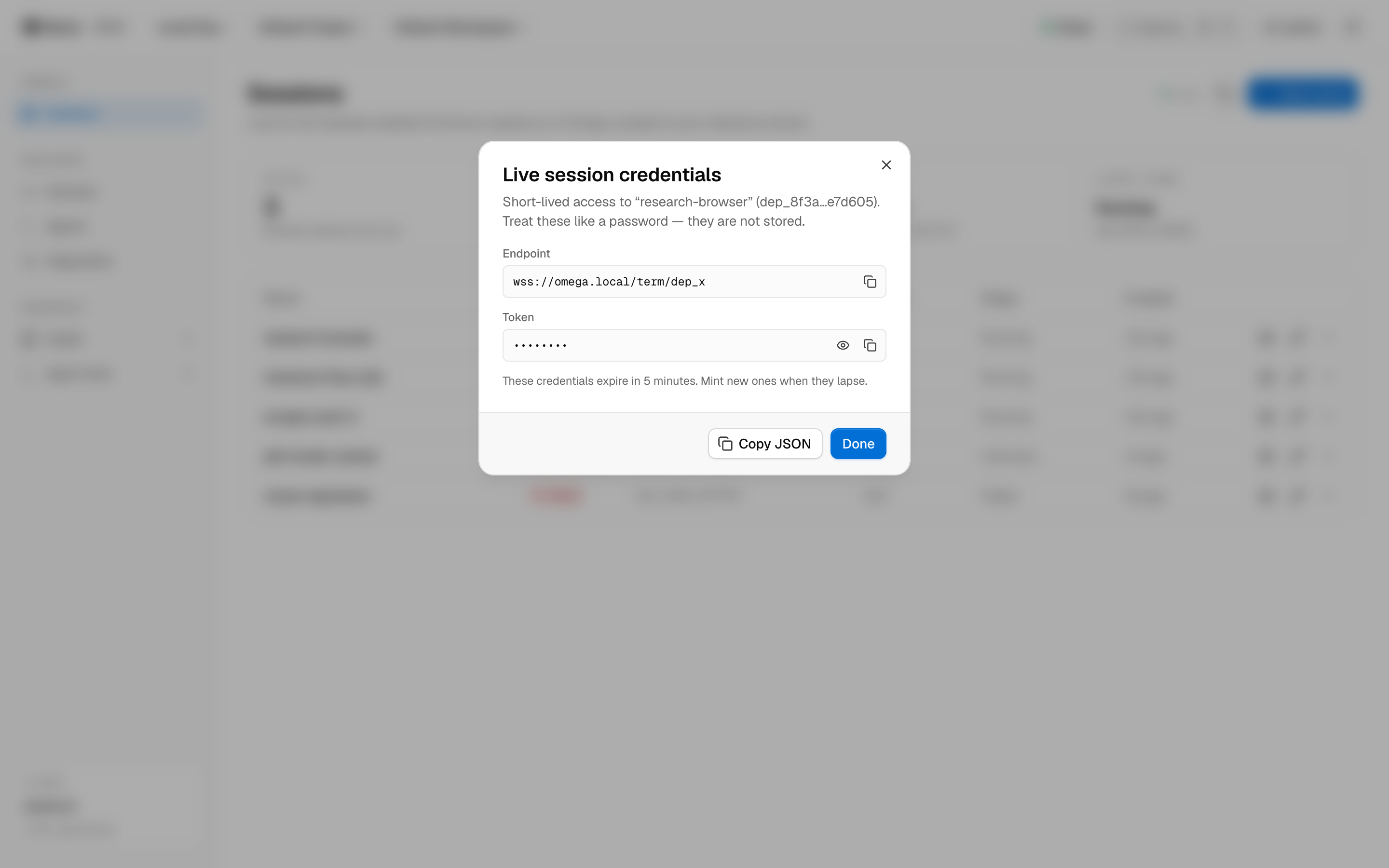
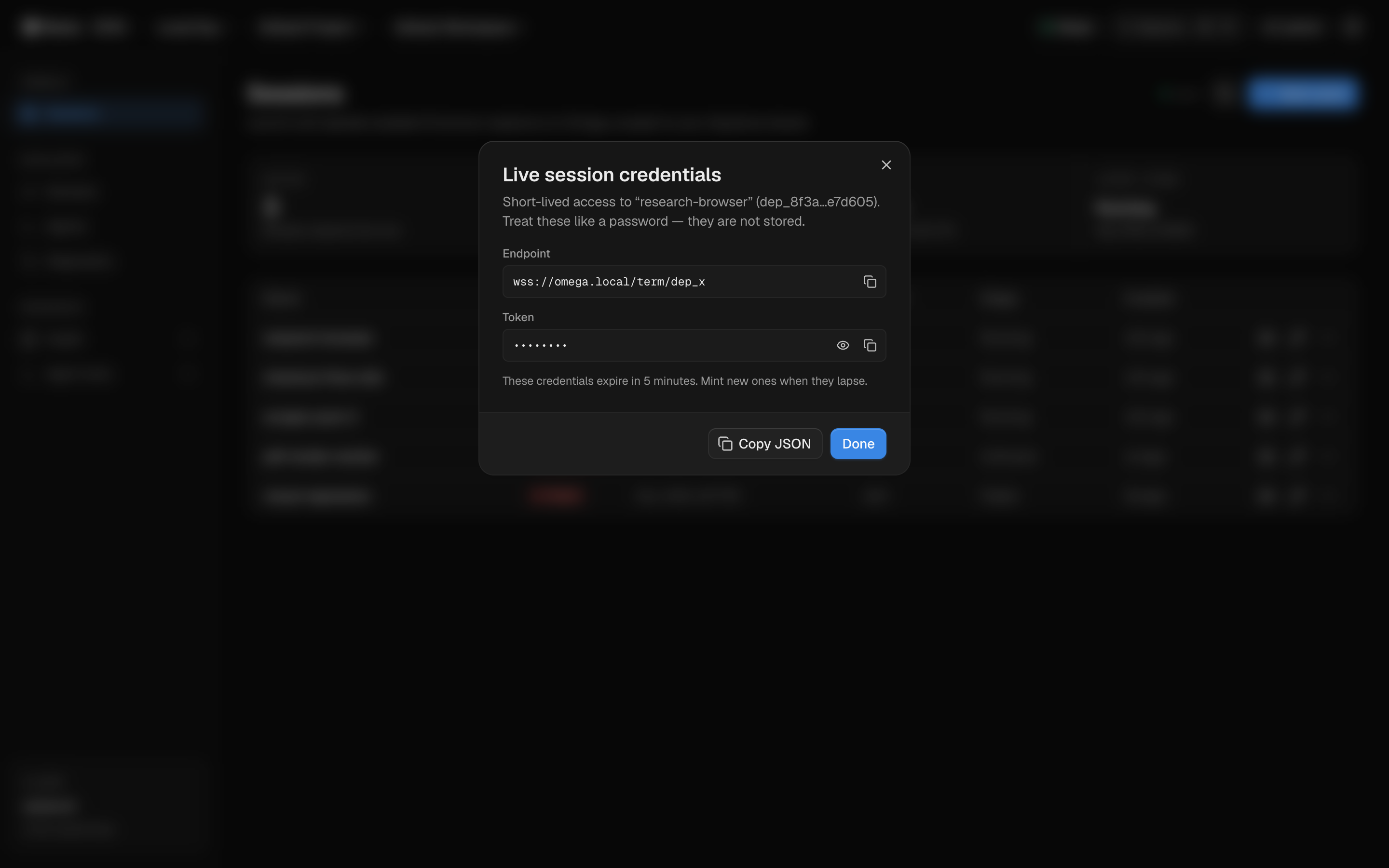
Live-session access uses term credentials minted on demand. They expire within minutes, render masked by default, and are never stored — not by us, not in your browser.
Permission-gated agents
Agent invocations go through POST /api/agent/invoke and require panes.agent.invoke plus the underlying instance permission. Agents get exactly what you grant — nothing more.
In practice
Short-lived by default, masked by default
This is the actual credentials dialog. Endpoint and token, masked by default, with copy and reveal as explicit actions. The dialog warns you to treat them like a password — because they are one, just one that dies in minutes.
Least privilege
Scopes, not superpowers
The console requests a precise OAuth scope set. Instance read, create, and control are separate grants — an integration that only lists sessions never gets the power to stop them.
openidprofileemailauth:sessioniam:readgarden:usage:writepanes:instances:readpanes:instances:createpanes:instances:controlpanes:agent:invokePlus offline_access for refresh — revocable at any time from your Keystone account.
Security questions?
We'll walk your security team through the auth flow, tenancy model, and credential lifecycle in detail.